Check the actual stock unit first
Open the original listing and the video side by side. Match the stock reference, model, model year, body style, colour, wheels and interior. Generated motion can alter small details, so review the moving frames as well as the poster. An attractive opening is not a substitute for the right vehicle.
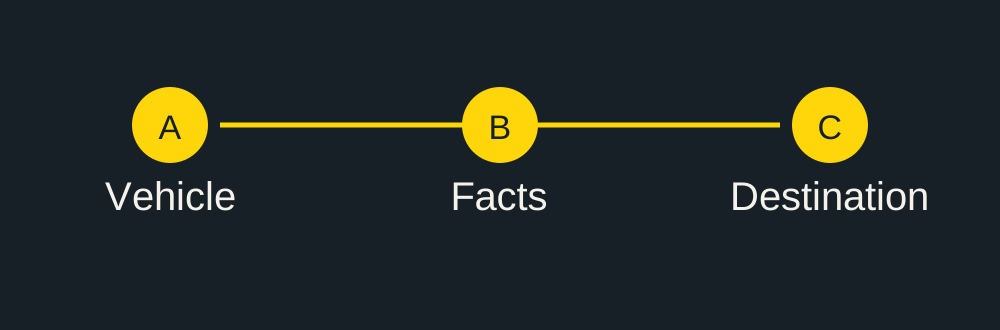
Review in three passes
| Pass | What to inspect | Record |
|---|---|---|
| Vehicle identity | Body, trim, wheels, lamps and cabin | Time and source photo of any mismatch |
| Displayed facts | Price, currency, mileage, units and contact | Exact replacement text |
| Final destination | File plays, captions readable, current advert opens | Actual published URL or reason to hold |
Inspect the transitions between supplied photos. Pause where wheels, trim, dashboard controls or text change. If a condition detail was never in the source set, request a real close-up or recording rather than treating a generated angle as evidence.
Keep factual evidence beside the presentation
A mileage photograph, service document or close-up is a different kind of evidence from an animated trailer. Keep the original available in the listing or buyer conversation. When a buyer asks about a scratch, cold start or unseen surface, a real photo or phone clip answers that question more directly than another generated shot.
Check the information that goes stale
Before release, compare the price and availability with the current advert. Check the vehicle currency and distance unit: USD, GBP, CAD, EUR, AUD, AED and BRL are not interchangeable, and neither are kilometres and miles. Verify any contact line, registration detail or equipment label you supplied.
Send a correction that can be acted on
Give the stock reference, the time in the video, what is wrong and the source that should replace it. For text, write the complete corrected line. For a photo, attach the exact image from the same vehicle. A request such as “at 0:07 use the supplied rear-seat photo; the current shot shows a different trim” is more useful than “make it more realistic”.
Keep a small release record
Use the blank review sheet to record the sample file, reviewer, issues and final destination. A checked box records your review; it is not an independent inspection or evidence of a sales outcome.
Download the blank video review sheet (CSV). No file upload or account is required for this download.
Continue with this vehicle
Check the source-photo brief before sending material, then use the prepaid package calculator for the actual batch.
Video format and export specifications.